When it comes to securely storing user passwords in modern web applications, the industry consensus is clear: do not invent your own cryptography, and do not use outdated hashing algorithms. Bcrypt is universally recognized as one of the most resilient and reliable hashing functions available to developers today.
The Bcrypt Hash Generator inside the FluxToolkit is designed specifically for developers and sysadmins. It allows you to generate secure hashes with custom salt rounds, visualize the anatomy of the resulting string, and verify plain text passwords against known hashes—all locally within your browser, ensuring maximum privacy.
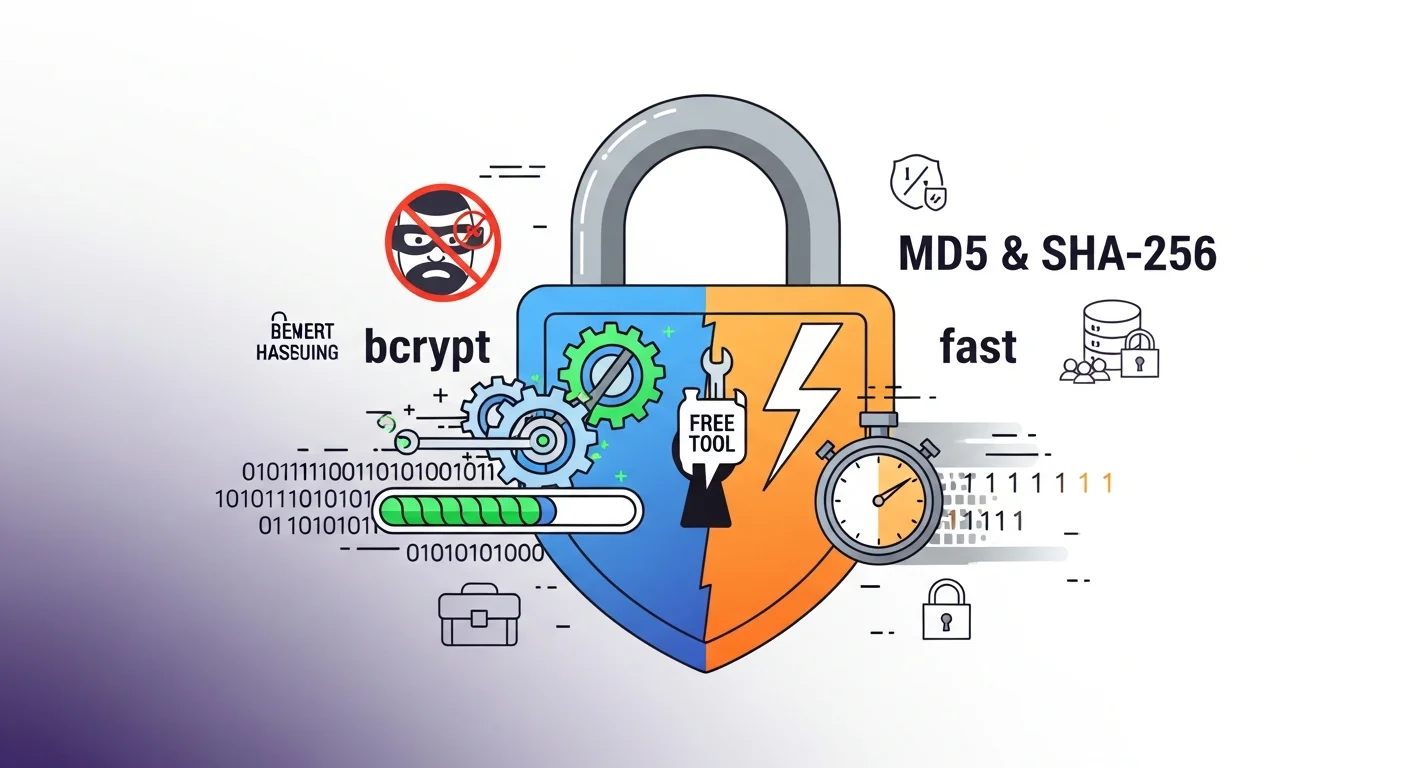
In this guide, we will explore the inner workings of the bcrypt algorithm, why it remains superior to alternatives like MD5 or SHA-256 for password storage, and how you can leverage our tool to debug authentication flows.
1. What is Bcrypt? Historical and Cryptographic Foundations
Bcrypt was designed in 1999 by Niels Provos and David Mazières specifically for password hashing. It was first presented at the USENIX Association's Annual Technical Conference. At the time of its creation, computing power was growing rapidly, and standard cryptographic checksum functions (like MD5 and SHA-1) were becoming increasingly vulnerable to brute-force attacks.
Unlike generic cryptographic hash functions designed for speed and data integrity (e.g., verifying that a downloaded file is not corrupted), bcrypt was designed from the ground up to be slow. It is based on the Blowfish block cipher designed by Bruce Schneier. The key difference in bcrypt's implementation is its custom key setup phase, known as Eksblowfish (expensive key setup Blowfish).
Eksblowfish introduces a state where the key setup takes a significant, controllable amount of time, making it exceptionally expensive for an attacker to compute millions of guesses. The primary design goal of bcrypt is to increase the work factor for password crackers while keeping the verification latency acceptable for legitimate users logging in (typically between 100 and 400 milliseconds).
2. Generate a bcrypt Hash
Use our client-side generator to generate and verify your hashes instantly:
bcrypt Hash Generator
Generate and verify bcrypt hashes with custom salt rounds entirely in your browser.
3. Why Fast Hashes Are Dangerous for Passwords
The fundamental mistake many developers make is using general-purpose cryptographic hash functions—such as MD5, SHA-1, SHA-256, or SHA-512—to secure user passwords. These algorithms are designed for speed. For example, a modern file verification tool needs to hash a 4 GB file in seconds, which requires the underlying algorithm to be highly optimized and fast.
However, when it comes to password security, speed is the enemy.
If an attacker gains unauthorized access to your database and steals the hashed passwords, they will attempt to run dictionary attacks or brute-force attacks to recover the plaintext passwords. If you hashed those passwords using SHA-256, the attacker can leverage modern consumer hardware to run guesses at astronomical speeds.
The Attack Velocity Gap
Let's look at the approximate hash computation rates using a modern GPU rig (e.g., a standard cluster of NVIDIA RTX cards):
- MD5: ~40 billion hashes per second.
- SHA-256: ~10 billion hashes per second.
- SHA-512: ~4 billion hashes per second.
- Bcrypt (Cost 12): ~250 hashes per second.
If a user chooses a moderately strong 8-character password, a brute-force rig running SHA-256 guesses will crack it in a matter of seconds. If that same password is encrypted using bcrypt with an appropriate cost factor, the cracking speed drops from billions per second to just a few hundred. The time required to crack the password jumps from minutes to centuries, transforming an active database breach from an immediate catastrophe into a mathematically insurmountable barrier for the attacker.
4. How Bcrypt Works: Adaptive Cost, Built-in Salts, and fixed Output
Bcrypt achieves its resilience through three core architectural mechanisms:
A. Adaptive Cost Factor (Work Factor)
Bcrypt includes a parameterized integer known as the cost factor or salt rounds (typically denoted as cost or rounds). This factor represents the number of iterations the internal Blowfish-based key schedule performs.
Crucially, this is an exponential scaling factor. The number of iterations is calculated as 2Cost.
- A cost factor of 10 performs 210 = 1,024 iterations.
- A cost factor of 12 performs 212 = 4,096 iterations (4x slower than 10).
- A cost factor of 14 performs 214 = 16,384 iterations (16x slower than 10).
This exponential relationship allows developers to scale password security in lockstep with the law of accelerating returns in server CPU power. As server hardware gets faster and cheaper, you simply increment the cost factor to double the time required to compute a hash, neutralizing hardware-driven cracking gains without changing a single line of application code.
| Cost Factor | Approximate Hashing Time (Modern CPU) | GPU Guess Velocity (Per Second) | Recommended Application Use |
|---|---|---|---|
| 8 | ~25 ms | ~4,000 | Testing/Seed environments only |
| 10 | ~100 ms | ~1,000 | Standard legacy default |
| 12 | ~400 ms | ~250 | Modern web application default |
| 13 | ~800 ms | ~125 | High-security corporate systems |
| 14 | ~1.6 seconds | ~60 | Cold-storage credentials, key derivation |
B. Automatic, Built-in Salting
In basic cryptography, salting is the practice of appending random characters to a password before hashing it. This prevents attackers from using precomputed lookup tables (known as rainbow tables) to instantly look up a hash and find its corresponding password.
With standard SHA-256, developers must write custom code to generate a cryptographically secure random salt, append it to the password, store the salt in a separate database column, and then combine them again during login verification. This manual flow is highly prone to implementation errors (e.g., reusing the same salt for all users, using a weak random number generator, or leaking the salt).
Bcrypt eliminates this vulnerability by generating a unique, 128-bit cryptographically secure random salt automatically for every single hash. Furthermore, bcrypt embeds the salt directly within the output hash string itself. You do not need a separate database column; you only need to store the single 60-character bcrypt string.
C. Fixed Output Length
No matter how short or long the input password is, bcrypt always outputs a standard, 60-character ASCII string. This ensures that your database schemas can be defined with a fixed-length string (e.g., VARCHAR(60)), simplifying storage planning and indexing.
5. Anatomy of a Bcrypt Hash
If you generate a hash using our tool, you will notice that the output is always structured in a specific, standardized format. Let's deconstruct the following typical bcrypt hash:
$2b$12$LQv3c1yqBWVHxkd0LHAkCOYz6TtxMQJqhN8/LewqxaX9ovXZTx26
Here is a visual representation of how this 60-character string is divided:
  $2b$      12$     LQv3c1yqBWVHxkd0LHAkCO    Yz6TtxMQJqhN8/LewqxaX9ovXZTx26
 ┌────┐    ┌───┐    └──────────────────┬─┘    └──────────────┬──────────────┘
Version    Cost                      Salt                 Digest (Hash)
 (2b)     Rounds (12)            (22 characters)          (31 characters)
1. The Version Prefix (`$2b$`)
This indicates which variation of the bcrypt schema was used to generate the hash:
$2a$: The original version, which had a minor bug handling non-ASCII characters in some implementations.$2x$and$2y$: PHP-specific compatibility flags introduced to address the character handling bug.$2b$: The current, modern standard. It handles null bytes and non-ASCII character boundaries correctly and is supported by almost all active development libraries.
2. The Cost rounds (`12$`)
The cost rounds define the computational load. In this case, 12 means the Eksblowfish key setup ran 212 (4,096) times.
3. The Salt (`LQv3c1yqBWVHxkd0LHAkCO`)
The next 22 characters contain the Base64-encoded representation of the 128-bit random salt used for the hashing operation.
4. The Digest (`Yz6TtxMQJqhN8/LewqxaX9ovXZTx26`)
The remaining 31 characters represent the final hashed digest of the password combined with the salt.
6. How to Use the FluxToolkit Bcrypt Generator
Our tool provides a dual-interface for generating and verifying hashes.
Generating a Hash
- Navigate to the Bcrypt Hash Generator.
- Ensure you are on the Generate Hash tab.
- Enter the plain text string you wish to hash into the input field. Alternatively, click the refresh icon next to the input to auto-generate a secure 16-character random password.
- Adjust the Cost Factor slider. By default, it sits at 12.
- Watch as the hash is generated in real-time. The tool utilizes a 400ms debounce to ensure your browser remains responsive, even at high cost factors.
- Click the copy button to copy the final
$2b$...string to your clipboard.
[!IMPORTANT]
100% Client-Side Privacy: The FluxToolkit Bcrypt Generator executes the Blowfish cipher entirely within your web browser using JavaScript. Your passwords are never transmitted over the network or saved to our servers.
Verifying a Hash
Because bcrypt automatically generates a random salt every time, you cannot simply hash a password twice and compare the strings—they will always be different!
To verify a password, the algorithm must extract the salt from the original hash and apply it to the plain text input.
- Switch to the Verify Hash tab.
- Enter the plain text password.
- Paste the existing bcrypt hash (starting with
$2a$or$2b$) into the target input. - The tool will instantly run the verification logic and display a large green "Hash Matches" badge if the password is correct, or a red "Does Not Match" badge if it fails.
This feature is incredibly useful for backend developers debugging authentication logic, allowing you to manually verify if a database hash corresponds to a known password.
7. Bcrypt vs. The Alternatives: Argon2, scrypt, and PBKDF2
While bcrypt remains the industry workhorse, developers should understand how it compares to other password hashing algorithms.
Bcrypt vs. Argon2 (Argon2id)
Argon2 won the Password Hashing Competition (PHC) in 2015 and is recognized by organizations like OWASP as the modern "gold standard" for password storage.
- The Advantage of Argon2: While bcrypt is memory-light, Argon2 is a memory-hard function. It requires configuring both CPU cost (time) and memory size (space). This makes Argon2 significantly more resistant to hardware attacks using custom ASICs or high-end GPUs, as memory bandwidth is far more expensive to scale than raw processing cycles.
- The Bcrypt Advantage: Bcrypt has been battle-tested for over 25 years. It is natively supported in almost every language without compiling C bindings (which Argon2 often requires).
Bcrypt vs. scrypt
Introduced in 2009, scrypt was the first widely adopted memory-hard algorithm. However, it requires complex parameter tuning (CPU cost, block size, parallelization parameters) that make it easy for developers to configure incorrectly. Bcrypt's single cost slider is much simpler and less error-prone.
Bcrypt vs. PBKDF2
PBKDF2 is a NIST-recommended key derivation function. It is highly standard and frequently used in PDF encryption, WPA2 Wi-Fi security, and standard Unix vaults. However, PBKDF2 is highly susceptible to GPU-acceleration, making it less secure than bcrypt for standard web applications.
8. Implementation Examples across major Backend Languages
Here is how you can implement bcrypt hashing and verification in your production environments using standard, popular libraries:
A. Node.js (using `bcryptjs`)
bcryptjs is a pure JavaScript implementation of bcrypt, making it highly portable and avoiding the need for native C/C++ compilation on your build servers.
const bcrypt = require('bcryptjs');

// 1. Hashing a user password (Async)
async function securePassword(plainTextPassword) {
  const saltRounds = 12; // Recommended work factor
  const hashedPassword = await bcrypt.hash(plainTextPassword, saltRounds);
  return hashedPassword;
}

// 2. Verifying a password during login
async function verifyUserLogin(inputPassword, storedHash) {
  const match = await bcrypt.compare(inputPassword, storedHash);
  if (match) {
    console.log("Login successful: password matches.");
    return true;
  } else {
    console.log("Login failed: invalid password.");
    return false;
  }
}
B. Python (using the `bcrypt` library)
Python's official bcrypt package wraps native C libraries, providing maximum performance.
import bcrypt

## 1. Hashing a password (requires bytes input)
def hash_password(password_string: str) -> str:
    password_bytes = password_string.encode('utf-8')
    # Generate salt with custom cost rounds (default is 12)
    salt = bcrypt.gensalt(rounds=12)
    hashed_bytes = bcrypt.hashpw(password_bytes, salt)
    return hashed_bytes.decode('utf-8')

## 2. Verifying a password
def check_password(input_password: str, hashed_password_str: str) -> bool:
    input_bytes = input_password.encode('utf-8')
    hash_bytes = hashed_password_str.encode('utf-8')
    return bcrypt.checkpw(input_bytes, hash_bytes)
C. PHP (using built-in password functions)
PHP has excellent native support for password hashing built directly into the core engine. You do not need to install any external packages.
<?php
// 1. Hashing a password
$plainPassword = "my_secure_password_123";
$options = [
    'cost' => 12 // Customize the salt rounds
];
$hashedPassword = password_hash($plainPassword, PASSWORD_BCRYPT, $options);

// 2. Verifying the password
if (password_verify($plainPassword, $hashedPassword)) {
    echo 'Password is valid!';
} else {
    echo 'Invalid password.';
}
?>
9. Common Cryptographic Pitfalls & Implementation Errors
Even with a strong algorithm like bcrypt, developers can introduce vulnerabilities if they implement it incorrectly.
A. The 72-Byte Truncation Limit
One of bcrypt's legacy architectural limits is that it silently truncates any input longer than 72 bytes.
If a user enters a very long passphrase (e.g., 80 characters long), bcrypt will only read the first 72 bytes, generate the hash, and discard the rest. An attacker only needs to guess the first 72 characters to compromise the account.
- Mitigation: For typical user logins, this is rarely an issue. However, if your application supports extremely long passphrases or API keys, you can pre-hash the password using a fast cryptographic algorithm like SHA-256 to generate a fixed-size 32-byte digest, and then run that digest through bcrypt.
B. "Hashing the Hash" (Double-Hashing)
A common mistake is hashing the password using MD5 or SHA-256 first, and then running the output through bcrypt without understanding the design. Doing this does not increase security and often leads to compatibility issues or weak entropy states.
Unless you are explicitly pre-hashing to bypass the 72-byte limit, always pass the raw user input directly to the bcrypt hashing function.
C. Choosing an Outdated Cost Factor (Using Cost 10 in 2026)
Many older tutorials and StackOverflow answers recommend using cost = 10 as a default. While this was adequate in 2011, modern consumer hardware can brute-force cost-10 hashes relatively quickly. Always use a cost of at least 12 in production today.
D. Storing Salts in Separate Database Columns
As discussed, bcrypt embeds the salt directly within the output string. Do not waste database space or complicate your schema by storing salts in separate columns.
10. Comprehensive Password Security Best Practices
Securing your user base requires a holistic defense-in-depth approach that goes beyond choosing a strong hashing algorithm:
- Enforce Length Over Complexity: Strong passwords do not require arbitrary combinations of uppercase letters, numbers, and symbols. Encourage users to use passphrases (combinations of 4 or 5 random dictionary words). These are much easier for humans to remember but represent massive mathematical complexity for brute-force rigs.
- Implement Rate Limiting: Even if you use bcrypt at cost 14, an attacker can still attempt brute-force login requests on your authentication endpoint. Ensure your API layers utilize rate limiting (e.g., using Redis token buckets) to block IP addresses after 5 failed login attempts.
- Strictly Redact Passwords from Logs: Make sure your logging libraries (e.g., Winston, Winston-Loki, or Datadog) explicitly redact the password fields from incoming JSON bodies before writing payloads to disk or external tracing suites.
- Use Transport Layer Security (HTTPS): A strong hashing algorithm is useless if the user's password is intercepted in plaintext while traveling from their browser to your server. Always enforce HTTPS across your entire application.
Explore our other security tools to fortify your development workflow:
- Use the Password Generator to create secure credentials.
- Use the Random String Generator to create cryptographically secure API keys and session tokens.
- Use the UUID Generator for creating unique database identifiers.
By combining bcrypt with proper transport security, rate-limiting, and clear user policy guidance, you secure your platform against current and future cryptographic threats.