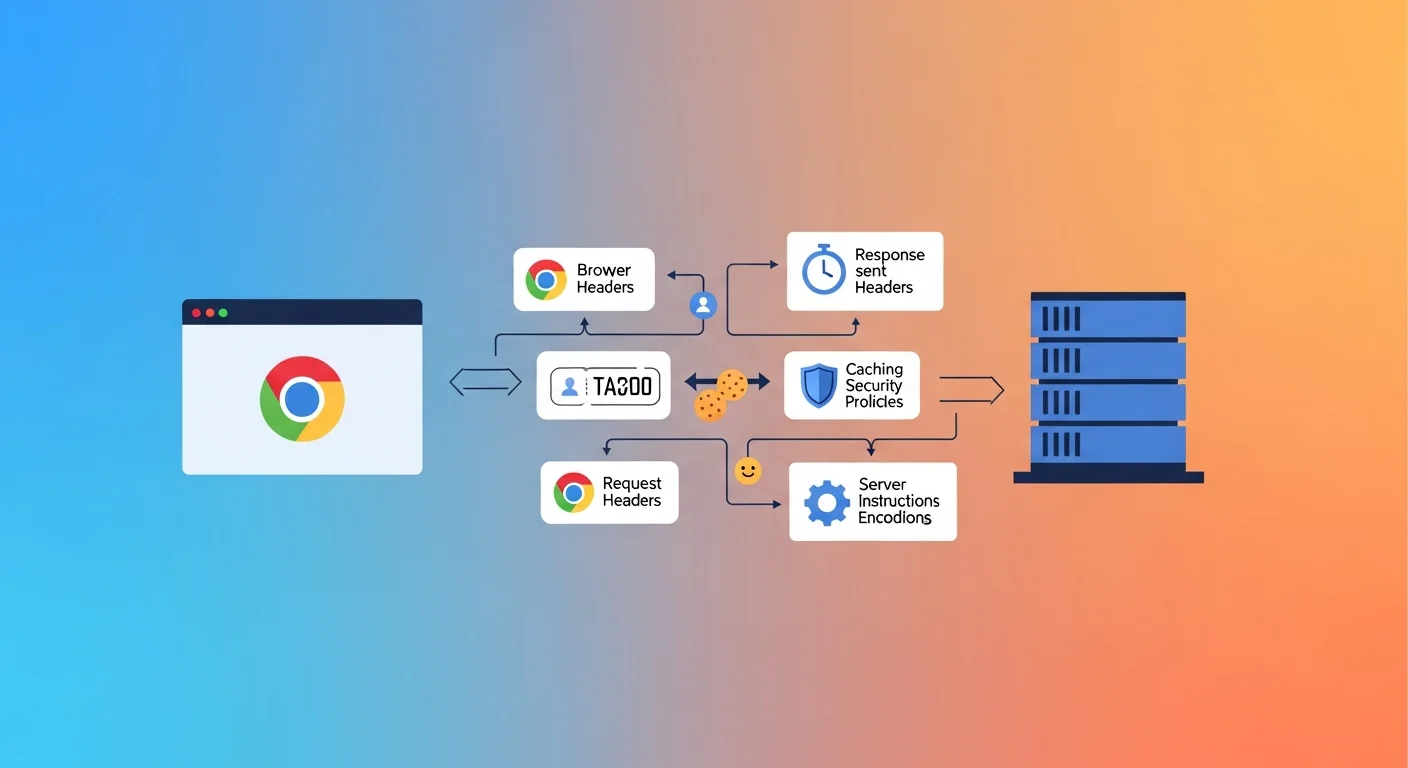
Every time your browser loads a webpage, it sends a collection of headers with the request — information about the browser, accepted content types, cookies, and authentication tokens. The server responds with its own set of headers — controlling how long content is cached, what security policies apply, and how the content is encoded.
Most of this happens invisibly. An HTTP headers checker makes it visible — letting you inspect exactly what's being sent and received for any URL.
Check HTTP Headers for Any URL
HTTP Headers Checker
Inspect the raw HTTP response headers of any URL. View security headers, cache-control, server info, and more — instantly in your browser.
Request Headers vs Response Headers
Request headers are sent by the client (browser) to the server:
- What content types it accepts
- What languages it prefers
- Its User-Agent identifier
- Cookies and authentication tokens
- Cache state (to ask if content has changed)
Response headers are sent by the server back to the client:
- The HTTP status code
- Content type and encoding
- Caching instructions
- Security policies
- Compression used
- Server identity
For security auditing, SEO, and performance analysis, response headers are what you're primarily inspecting.
Essential Response Headers Reference
Content Headers
| Header | Example | What It Does |
|---|---|---|
Content-Type |
text/html; charset=UTF-8 |
Tells browser what kind of content this is |
Content-Length |
48291 |
Body size in bytes |
Content-Encoding |
gzip |
Compression applied (gzip, br, zstd) |
Content-Language |
en-GB |
Language of the response body |
Caching Headers
| Header | Example | What It Does |
|---|---|---|
Cache-Control |
max-age=31536000, immutable |
How long and how browsers should cache |
ETag |
"abc123" |
Version fingerprint for conditional requests |
Last-Modified |
Mon, 01 Jan 2026 00:00:00 GMT |
When the resource last changed |
Expires |
Thu, 31 Dec 2026 23:59:59 GMT |
Legacy cache expiry (use Cache-Control instead) |
Security Headers (Critical)
| Header | Example | What It Does |
|---|---|---|
Strict-Transport-Security |
max-age=31536000; includeSubDomains |
Forces HTTPS (HSTS) |
X-Content-Type-Options |
nosniff |
Prevents MIME type sniffing attacks |
X-Frame-Options |
DENY |
Prevents clickjacking via iframes |
Content-Security-Policy |
default-src 'self' |
Controls which resources can load |
Referrer-Policy |
strict-origin-when-cross-origin |
Controls referrer information sent |
Permissions-Policy |
camera=(), microphone=() |
Restricts browser feature access |
Server Identity Headers
| Header | Example | What It Does |
|---|---|---|
Server |
nginx/1.25.0 |
Web server software (security risk to expose) |
X-Powered-By |
PHP/8.2 |
Technology stack (security risk to expose) |
Via |
1.1 varnish |
Proxy servers the response passed through |
Cache-Control: The Most Important Performance Header
Cache-Control is the primary mechanism for controlling how browsers and CDNs cache your content.
Common Directives
Cache-Control: no-store
Never cache — every request fetches fresh from the server. Use for: personalised data, real-time dashboards, authenticated API responses.
Cache-Control: no-cache
Stored but must be revalidated with the server before use. Use for: HTML pages you update frequently.
Cache-Control: max-age=3600
Cache for 3600 seconds (1 hour). Use for: semi-static content.
Cache-Control: max-age=31536000, immutable
Cache for one year and never revalidate. Use for: versioned static assets (CSS/JS with hash in filename).
Caching Strategy for Static Assets
## HTML pages — always revalidate
Cache-Control: no-cache

## Versioned CSS/JS (e.g., main.abc123.css)
Cache-Control: max-age=31536000, immutable

## Images
Cache-Control: max-age=86400, stale-while-revalidate=604800
Security Headers Audit
Missing security headers are a common finding in security audits. These are the most impactful to add:
HSTS (HTTP Strict Transport Security)
Strict-Transport-Security: max-age=31536000; includeSubDomains; preload
Once a browser sees this header, it will only connect to your domain via HTTPS — even if the user types http://. Prevents protocol downgrade attacks.
Content Security Policy
The most powerful — and most complex — security header. A basic policy:
Content-Security-Policy: default-src 'self'; script-src 'self' https://trusted-cdn.com; img-src 'self' data:
Start with a report-only mode (Content-Security-Policy-Report-Only) to audit violations before enforcing.
X-Content-Type-Options
X-Content-Type-Options: nosniff
Prevents browsers from guessing content type from content rather than the Content-Type header. Stops MIME confusion attacks.
Headers and SEO
Response headers affect crawling and indexing in several ways:
X-Robots-Tag: noindex— Tells search engines not to index this URL (alternative to the HTML<meta name="robots">tag; works for non-HTML files like PDFs)- Cache headers — Efficient caching lets Googlebot crawl more pages per crawl budget
- Redirect headers —
Locationheader in 301/302 responses tells bots where to go next Content-Type— Must be correct for HTML pages; wrong content-type may cause rendering issuesVary: Accept-Encoding— Tells CDNs to cache compressed and uncompressed versions separately
Privacy Note
HTTP header checking requests publicly accessible URLs and reads their response headers — the same data any browser receives. FluxToolkit does not log the URLs you check or store response header data.
Frequently Asked Questions
Are HTTP headers visible to users?
By default, no. Headers are exchanged in the background. Anyone can view them using browser developer tools (Network tab → select a request → Headers panel) or tools like FluxToolkit's header checker.
Should I hide the `Server` and `X-Powered-By` headers?
Yes. Exposing your web server version (nginx/1.25.0) or technology stack (PHP/8.2) makes targeted vulnerability attacks easier. Remove or obfuscate these headers in your server configuration.
What is HSTS preloading?
HSTS preloading submits your domain to a list embedded in browsers that forces HTTPS before any HTTP connection is ever attempted — even on the very first visit. Submit at hstspreload.org after deploying HSTS headers.
How do I add security headers in Next.js?
In next.config.mjs:
const headers = async () => [
  {
    source: '/(.*)',
    headers: [
      { key: 'X-Content-Type-Options', value: 'nosniff' },
      { key: 'X-Frame-Options', value: 'DENY' },
      { key: 'Referrer-Policy', value: 'strict-origin-when-cross-origin' },
    ],
  },
];
Does FluxToolkit store the headers it retrieves?
No. Header data is fetched in real time for your check and not stored on our servers.
Related Articles

How to Check SSL Certificates and Fix Chain of Trust Errors
HTTP Redirect Checker: Trace 301, 302 & Meta Redirects (Free, No Login)

Robots.txt Explained: How to Create One and Control What Google Crawls

Open Graph Tags: How to Control What Appears When You Share Links on Social Media