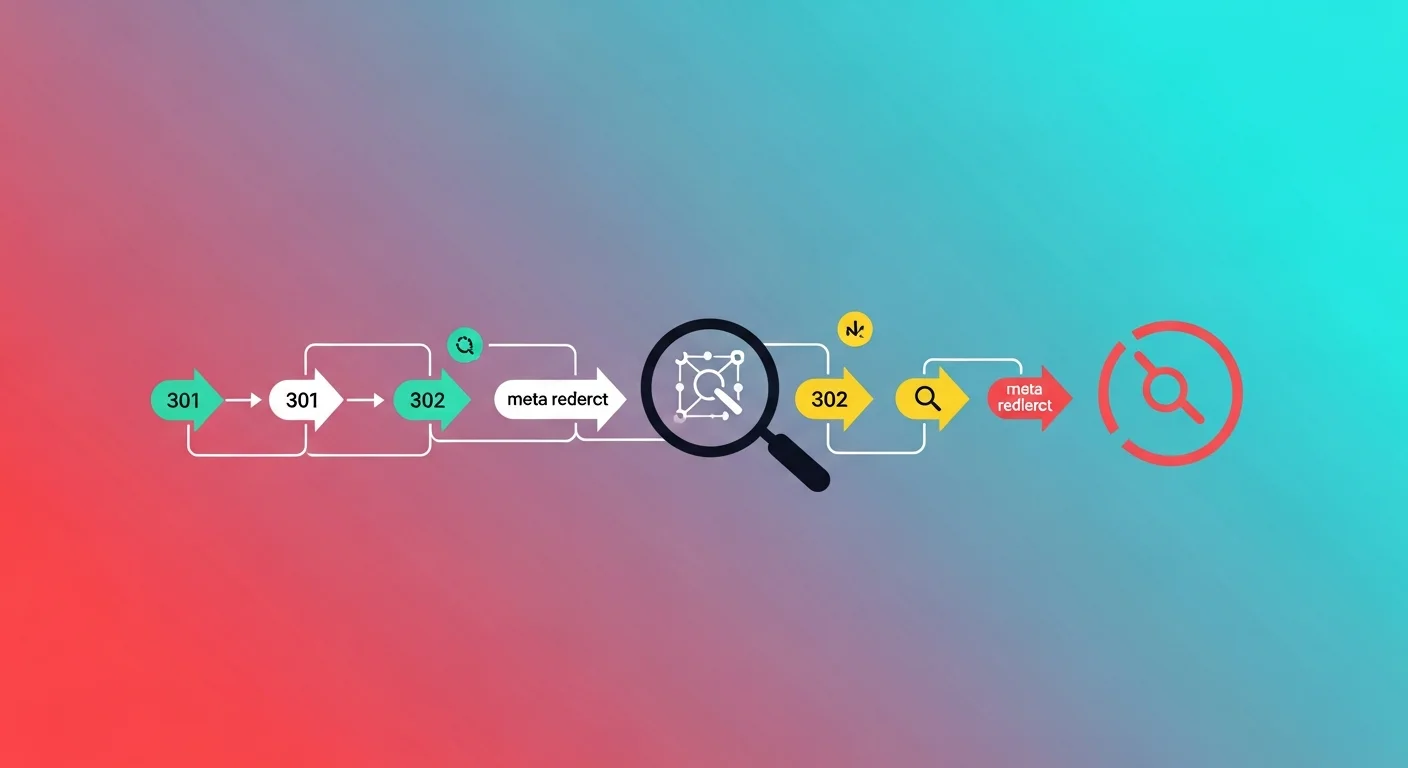
Every time a user or search engine bot follows a URL that redirects, it loses a small amount of time—and potentially a crucial amount of SEO equity. A single, clean redirect is perfectly acceptable and a standard part of web architecture. However, a chain of three, four, or five redirects is a severe technical problem. A redirect loop, where URLs continually bounce between each other, is an absolute catastrophe for both search engine crawlers and real human visitors.
An HTTP redirect checker is a diagnostic utility designed to follow every single hop in a URL's redirect sequence. It provides complete transparency, showing you every HTTP status code returned, every intermediate destination URL, and all the critical response headers presented along the way. In this comprehensive guide, we will explore exactly how redirects function at the protocol level, their profound impact on Search Engine Optimization (SEO), and how you can identify and eradicate harmful redirect chains from your website infrastructure.
Trace Any URL's Redirects Instantly
Before diving into the technical mechanics of HTTP routing, you can utilize our free utility to diagnose your URLs immediately:
Redirect Checker
Trace the complete redirect chain for any URL. See every 301, 302, and 307 hop, their status codes, and the final destination in a clear step-by-step timeline.
Understanding HTTP Redirect Status Codes
When your web browser or a search engine bot requests a URL, the web server responds with a standardized three-digit HTTP status code. Any code starting with a "3" (the 3xx class) indicates that the client must take additional action to fulfill the request—typically, following a Location header to a new URL.
Here is a comprehensive breakdown of the most common redirect status codes you will encounter when diagnosing your website:
| Status Code | Official Name | Meaning & Application | Permanent? | Passes SEO Equity? |
|---|---|---|---|---|
| 301 | Moved Permanently | The requested page has permanently relocated to a new URL. | ✅ Yes | ✅ ~99% |
| 302 | Found (Temporary) | The page is temporarily located elsewhere, but the original URL should remain indexed. | ❌ No | ⚠️ Partial/Delayed |
| 303 | See Other | Indicates the redirect is the result of a POST request, and the client should now use GET. | ❌ No | ❌ No |
| 307 | Temporary Redirect | Strict temporary redirect that guarantees the HTTP method (e.g., POST) will not change during the hop. | ❌ No | ⚠️ Partial |
| 308 | Permanent Redirect | Strict permanent redirect that guarantees the HTTP method will not change during the hop. | ✅ Yes | ✅ ~99% |
| 200 | OK | The final destination has been successfully reached; no further redirects exist. | — | — |
| 404 | Not Found | The destination URL does not exist (the chain ends in a broken link). | — | ❌ Lost entirely |
The Critical SEO Impact of HTTP Redirects
Redirects are not just technical routing instructions; they are explicit signals to Google and other search engines about how to structure their index and where to assign authority.
301 Redirects: The Gold Standard for Link Equity
When Googlebot encounters a 301 Moved Permanently redirect, it understands that the old URL is obsolete. Crucially, Google passes the vast majority of the original page's PageRank (link equity and historical authority) to the new destination URL. This makes the 301 redirect the only correct choice for permanent URL changes, domain migrations, or content consolidation.
In the early days of SEO, Google's documentation implied a 15% loss of PageRank per redirect hop. Today, Google representatives state that the loss for a single 301 redirect is virtually zero. However, chains of multiple redirects (URL A → URL B → URL C → URL D) unequivocally dilute link equity, exhaust crawl budgets, and massively increase page load latency.
302 Redirects: Temporary vs. Permanent Confusion
A 302 Found redirect explicitly tells search engines: "This is a temporary detour; keep indexing the original URL because it will return."
This is the correct status code for short-term A/B split testing, seasonal promotional pages, or temporary server maintenance. However, using a 302 redirect when you actually mean to permanently move a page is a devastating and common SEO mistake. If you use a 302 for a permanent move, Google will stubbornly continue to index the old, dead URL rather than assigning the historical authority to the new, active page.
The Mandatory HTTP to HTTPS Redirect
In the modern web ecosystem, every single domain must serve its traffic over secure HTTPS. Consequently, you must implement a permanent 301 redirect from all insecure HTTP variants to the secure HTTPS variants.
Furthermore, you must resolve the "www" versus "non-www" debate. Pick one version as your canonical domain, and redirect the other to it. A standard, healthy redirect looks like this:
http://example.com → https://example.com (301)
http://www.example.com → https://example.com (301)
This is a routine consolidation that search engines handle effortlessly. When you use an HTTP redirect checker on your root domain, you should see exactly one hop ending in a 200 OK status.
Identifying and Fixing Dangerous Redirect Chains
A redirect chain occurs when there is more than one redirect between the initial URL requested and the final destination. These chains degrade user experience by multiplying Time to First Byte (TTFB) latency, and they cause search engine crawlers to abandon the request before reaching the content.
The "Acceptable" Chain: HTTP → HTTPS → www
Hop 1: http://example.com         (301)
Hop 2: https://example.com        (301)
Hop 3: https://www.example.com    (200 OK)
While this 2-hop chain is common and generally acceptable, it is technically inefficient. The optimal fix is to configure your Nginx or Apache server to redirect directly to the final secure canonical form in a single, decisive hop.
The "Unnecessary Intermediate" Chain
Hop 1: /old-service         (301 → /interim-page)
Hop 2: /interim-page        (301 → /new-service-hub)
Hop 3: /new-service-hub     (200 OK)
This typically happens when a site undergoes multiple redesigns over several years. A page gets redirected, and years later, the destination page gets redirected again. You must regularly audit your .htaccess files or CMS redirect plugins. Fix this by updating the very first redirect rule to point directly to /new-service-hub, eliminating /interim-page from the sequence.
The Catastrophic "Redirect Loop"
Hop 1: /login-page          (302 → /dashboard)
Hop 2: /dashboard           (302 → /login-page)
Hop 3: /login-page          (302 → /dashboard)
... (ERR_TOO_MANY_REDIRECTS)
Browsers and search engine bots will detect this infinite loop and forcefully terminate the connection after 5 to 20 iterations, displaying a prominent error message to the user. This makes the URLs completely inaccessible. You must identify the conflicting circular logic in your server configuration, authentication middleware, or CMS routing table and break the loop.
The "Mixed Type" Chain
Hop 1: /legacy-article      (302 → /updated-article)
Hop 2: /updated-article     (301 → /final-article)
Hop 3: /final-article       (200 OK)
Because a 302 is present in the chain, Google may refuse to pass the link equity of /legacy-article to the final destination. If this is a permanent structural change, every hop in the chain must be upgraded to a 301.
Non-HTTP Redirects: Proceed With Caution
While server-side HTTP headers (like the 301 and 302) are the fastest and most reliable way to route traffic, there are other methods implemented at the document level. These are generally frowned upon for SEO but are occasionally necessary.
Meta Refresh Tags
<meta http-equiv="refresh" content="0; url=https://example.com/new-location">
This is a redirect executed by the browser after it has parsed the HTML <head>. Google officially supports meta refresh redirects, but they are dramatically slower than server-level redirects because the initial HTML document must be downloaded first. Furthermore, long-delay meta refreshes are historically associated with spam networks and doorway pages. Always use server-level HTTP redirects instead.
JavaScript Redirects
window.location.replace('https://example.com/new-location');
Googlebot is fully capable of rendering JavaScript and will eventually follow these redirects. However, relying on JavaScript redirects introduces a massive delay in discovery. Google must add the page to its rendering queue, execute the scripts, and only then discover the redirect. This process can take days or weeks. Only use JavaScript redirects for dynamic, user-specific application routing where server-level redirects are impossible.
Canonical Tags: Not a Redirect
It is crucial to understand that a <link rel="canonical"> tag is not a redirect. It does not route human users to a different page. It simply acts as a strong suggestion to search engines regarding which URL variation should be considered the "master" version for indexing purposes.
Professional Use Cases for an HTTP Redirect Checker
Post-Migration Audits: After launching a newly redesigned website or changing your domain name, you must verify that every legacy URL maps cleanly to its new counterpart with a single 301 hop. Use a redirect checker to ensure no 404s or chains were introduced during the database migration.
Affiliate Link Verification: Affiliate marketers use complex tracking URLs that often bounce through multiple third-party tracking domains before landing on the merchant page. A redirect checker allows you to unmask the final destination URL without actually clicking the link and triggering tracking scripts in your browser.
Security and Phishing Analysis: Malicious actors frequently obscure phishing sites behind layers of URL shorteners (like bit.ly or t.co). Security researchers use redirect checkers to safely trace the exact path and expose the final malicious payload URL without putting their local network at risk.
UTM Parameter Testing: Ensure that your marketing parameters (?utm_source=newsletter) survive the redirect process. Poorly configured server rules often strip query strings during a 301 redirect, entirely destroying your Google Analytics attribution data.
The Importance of Client-Side Privacy
When analyzing complex corporate routing or sensitive affiliate links, privacy is paramount. Traditional server-side redirect checkers require you to transmit your target URLs to an external database, leaving a trail of your research activity.
FluxToolkit's redirect checker operates differently. Our utility is designed to trace public HTTP headers securely, and we employ strict data minimization policies. We do not store the URLs you query, we do not log your redirect chains, and we do not maintain historical databases of your diagnostic activity. Your investigations remain entirely private.
Frequently Asked Questions
How many redirects are considered "too many"?
As a strict technical rule, you should aim for a maximum of 1 or 2 hops. Google representatives have confirmed that Googlebot will follow a maximum of 5 redirect hops before abandoning the sequence entirely to prevent getting trapped in infinite loops. However, anything beyond 2 hops significantly degrades user load times and dilutes SEO equity. A single, direct 301 redirect is the only perfect solution.
Does a 301 redirect truly pass 100% of PageRank?
While early SEO doctrine taught that 301 redirects incurred a 15% "dampening factor" penalty, Google's Gary Illyes and John Mueller have since clarified that 301 redirects do not lose PageRank. However, chains of redirects do create compounding friction, meaning a direct link is always fundamentally stronger than a redirected link.
When exactly should I use a 302 instead of a 301?
You should use a 302 Found redirect exclusively for situations that will be reversed in the near future. Examples include routing users to a "Site Under Maintenance" page, executing a short-term A/B split test, or temporarily redirecting out-of-stock product pages to a category hub. For any permanent change, you must use a 301.
How long does it take Google to process a 301 redirect?
The process is not instant. Googlebot must first re-crawl your old URL, detect the 301 status code, follow the instruction to the new URL, crawl the new URL, and then update its master index. For high-authority, frequently crawled websites, this can happen in 24 to 48 hours. For smaller sites, it may take several weeks. You can accelerate this by submitting the new URLs directly in your Google Search Console dashboard.
Can I safely redirect a page to an entirely different domain?
Yes. Cross-domain 301 redirects function identically to same-domain redirects, and they successfully transfer link equity across domains. This mechanism is precisely how companies rebrand and migrate from old domains (like oldbrand.com) to new domains (like newbrand.com) without losing their established search engine rankings.
Related Developer Guides
- SSL Certificate Checker Guide — Verify your HTTPS certificates are configured perfectly before enforcing sitewide HTTP-to-HTTPS redirect rules.
- HTTP Headers Checker Guide — Dive deeper into the raw response headers beyond just the redirect status codes to debug caching policies and security headers.
- XML Sitemap Generator Guide — Ensure your XML sitemaps only contain final destination URLs returning 200 OK, rather than legacy URLs that trigger redirects.
- Robots.txt Generator Guide — Ensure that neither your old redirected pages nor your new destination pages are accidentally blocked from Googlebot's crawlers.
- Meta Tags Guide — Learn how to optimize the metadata at the final destination of your redirect chains for maximum click-through rates.




