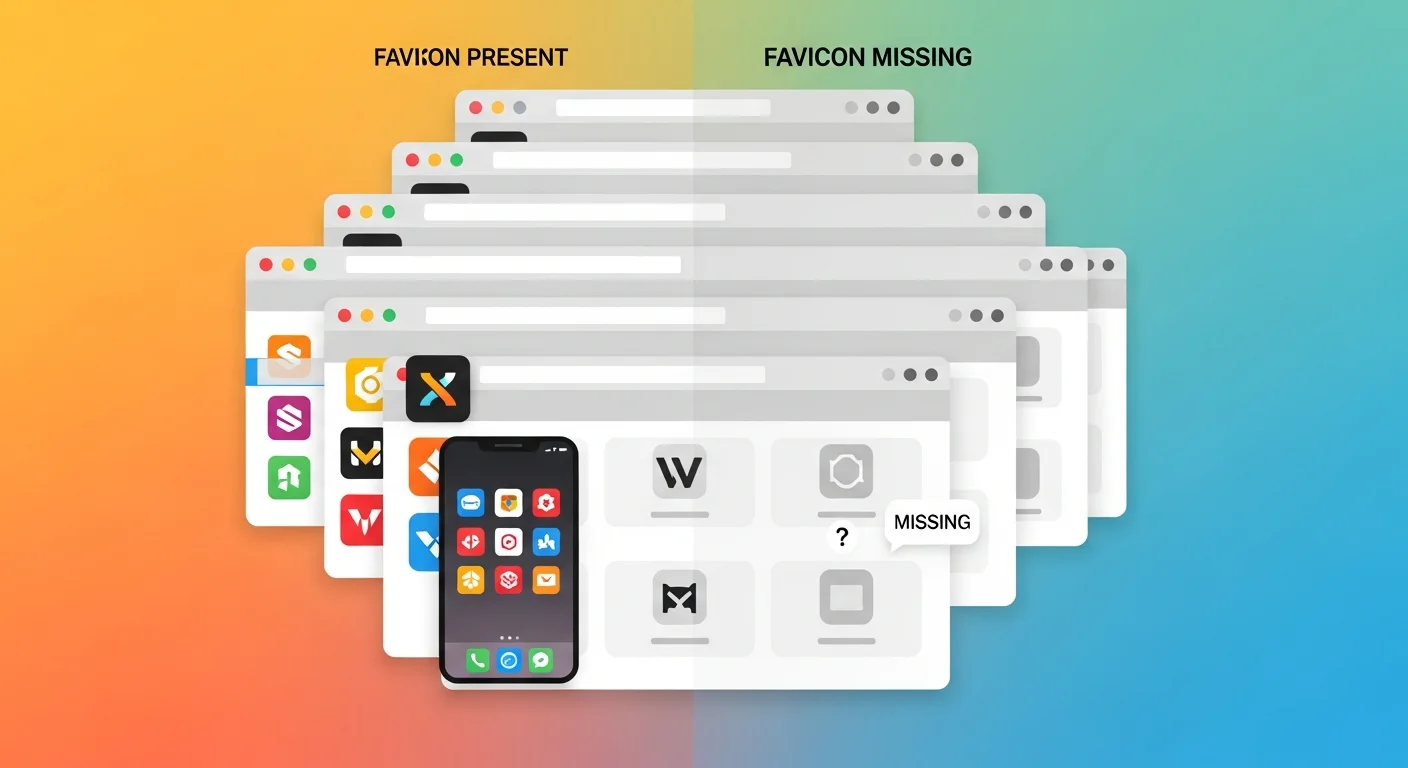
You've spent weeks building a website. Then someone opens it and sees a grey generic icon in the tab bar where your logo should be.
A missing favicon is one of the clearest signs of an unfinished site. It's tiny — 16×16 pixels — but it shows up everywhere: browser tabs, bookmarks, browser history, home screen shortcuts on mobile, and next to your URL in Google search results.
What is a Favicon?
Favicon means "favorites icon." It originally referred to the icon shown in browser bookmarks. Today it appears in:
- Browser tabs and bookmark lists
- Browser history and reading lists
- Home screen shortcuts on iOS and Android
- Google search results (next to your domain)
- Progressive Web App (PWA) install screens
The Formats You Actually Need in 2026
In the early days of the web, a single 16x16 favicon.ico file was enough. Today, the sheer variety of devices, screen resolutions, and operating systems means that a single icon is no longer sufficient. Modern web development requires a cohesive set of icons tailored for different contexts.
Here is the exact breakdown of the files a professional generator will create for you:
| File | Exact Size | Purpose & Context |
|---|---|---|
favicon.ico |
16×16 & 32×32 | The legacy standard. Browsers like Internet Explorer and some older desktop browsers still look specifically for an .ico file in the root directory. It contains multiple resolutions packed into one file. |
favicon-16x16.png |
16×16 | The modern standard for the browser tab bar on low-resolution (standard DPI) monitors. |
favicon-32x32.png |
32×32 | The modern standard for the browser tab bar on high-resolution (Retina/4K) displays. |
apple-touch-icon.png |
180×180 | Critical for iOS. When an iPhone or iPad user taps "Add to Home Screen," Safari looks for this specific file. If it is missing, Safari will use an ugly screenshot of your website instead. |
android-chrome-192x192.png |
192×192 | Used by Android devices for the home screen icon when users install your site as a Progressive Web App (PWA). |
android-chrome-512x512.png |
512×512 | Used by Android devices as the central graphic on the splash screen that appears while your PWA is loading. |
A good favicon generator completely automates this process, taking a single high-resolution image and instantly outputting the exact dimensions and file types required by Apple, Google, and Microsoft.
Generate Your Favicon
Favicon Generator
Generate a complete set of favicons for web, iOS, and Android from a single logo.
Use a perfectly square image. Favicons are fundamentally square. If you upload a rectangular logo (like a wide wordmark), the generator will be forced to either stretch it vertically (ruining the aspect ratio) or add massive empty padding above and below it, making the icon look tiny.
Use SVG if you have it. Scalable Vector Graphics (SVG) are resolution-independent. They scale perfectly from 16px to 512px without any pixelation or blurring. Before generating your favicon set, it is highly recommended that you compress and optimize your SVG file:
SVG Optimizer
Clean and minify SVG files to reduce their payload size for web use.
Simplify complex logos. This is the number one mistake developers make. A highly detailed logo with thin lines and subtle gradients looks beautiful on a billboard, but it turns into an unrecognizable, blurry blob when reduced to 16x16 pixels. You must simplify. If your brand is "Google," do not try to squeeze the entire word into the tab. Use just the "G". Remove taglines, drop shadows, and complex illustrations.
Mind the safe zones (especially for Apple). When iOS applies your apple-touch-icon.png to the home screen, it automatically rounds the corners to match the iOS aesthetic. If your logo stretches to the absolute edge of the square image, the corners of your logo will be cut off by Apple's masking. Always leave a 10-15% transparent safe zone around your core icon.
Design for both Light and Dark Mode. Browser tabs can be white, dark grey, or pitch black depending on the user's system theme. If your logo is solid black with a transparent background, it will completely disappear when viewed by a user in dark mode. The safest approach is either a solid white icon on a colored background (like the blue Facebook "f") or a colorful icon with a subtle white stroke to ensure contrast everywhere.
How Google Search Uses Favicons for SEO
In recent years, Google fundamentally changed the layout of its mobile and desktop Search Engine Results Pages (SERPs). Google now prominently displays a website's favicon directly to the left of the URL and page title in search results.
This change elevated the favicon from a minor UI detail to a critical SEO asset. Here is why it matters:
- Brand Trust: A missing favicon results in Google displaying a generic globe icon next to your link. Users are statistically far less likely to click on a result with a generic icon, as it signals a low-quality, untrustworthy, or unfinished website.
- Visual Anchor: In a sea of blue links and black text, a bright, highly contrasting favicon draws the user's eye directly to your search result, significantly boosting your organic Click-Through Rate (CTR).
- Google's Strict Requirements: Google's crawler (Googlebot-Image) specifically looks for your favicon. To ensure Google displays it in search results, the icon must be a multiple of 48px square (e.g., 48x48, 96x96, 144x144) or an SVG. A simple 16x16 icon is no longer sufficient for SEO purposes.
Adding the Favicon to Your Site
<link rel="icon" type="image/x-icon" href="/favicon.ico">
<link rel="icon" type="image/png" sizes="32x32" href="/favicon-32x32.png">
<link rel="apple-touch-icon" sizes="180x180" href="/apple-touch-icon.png">
<link rel="manifest" href="/site.webmanifest">
For Next.js, place files in /public and they're served automatically. Next.js 13+ also picks up app/favicon.ico without any configuration.
Frequently Asked Questions
My favicon updated but the browser still shows the old one. Why?
Favicon caching is aggressive. Force-refresh with Ctrl+Shift+R (Windows) or Cmd+Shift+R (Mac), or test in an incognito window.
Can I use an emoji as a favicon?
Yes. Modern browsers support SVG favicons inline: <link rel="icon" href="data:image/svg+xml,<svg xmlns='http://www.w3.org/2000/svg' viewBox='0 0 100 100'><text y='.9em' font-size='90'>🚀</text></svg>">.
Do I need all the different sizes?
At minimum: favicon.ico plus apple-touch-icon.png covers most browsers and devices. The full set is recommended for PWA support.
Does FluxToolkit store my logo?
No. Favicon generation runs entirely in your browser. Your source image never leaves your device.
Can I have a different favicon for light and dark mode?
Yes, using SVG favicons. You can embed CSS media queries directly inside the <svg> tag. For example: <style> path { fill: black; } @media (prefers-color-scheme: dark) { path { fill: white; } } </style>. When the browser loads the SVG favicon, it will evaluate the media query based on the user's operating system theme and render the appropriate color instantly. This is why SVG favicons are highly recommended for modern web applications.
How do I clear the favicon cache in Chrome?
Favicons are cached extremely aggressively by Chrome. If you update your favicon but the old one still shows, a hard refresh (Ctrl+F5) might not work. To force a refresh: open your website, open Chrome DevTools (F12), click the Network tab, check "Disable cache", and refresh the page. Alternatively, navigating directly to yourdomain.com/favicon.ico and hard-refreshing that specific image file usually forces the browser to pull the new version.
Related Articles
How to Compress an Image Online Without Losing Quality
How to Resize an Image Online — Free, Fast, and Without Quality Loss
WebP vs PNG vs JPG: Which Image Format Should You Be Using?
Color Picker Online: How to Find Any Hex, RGB, or HSL Color Code Instantly