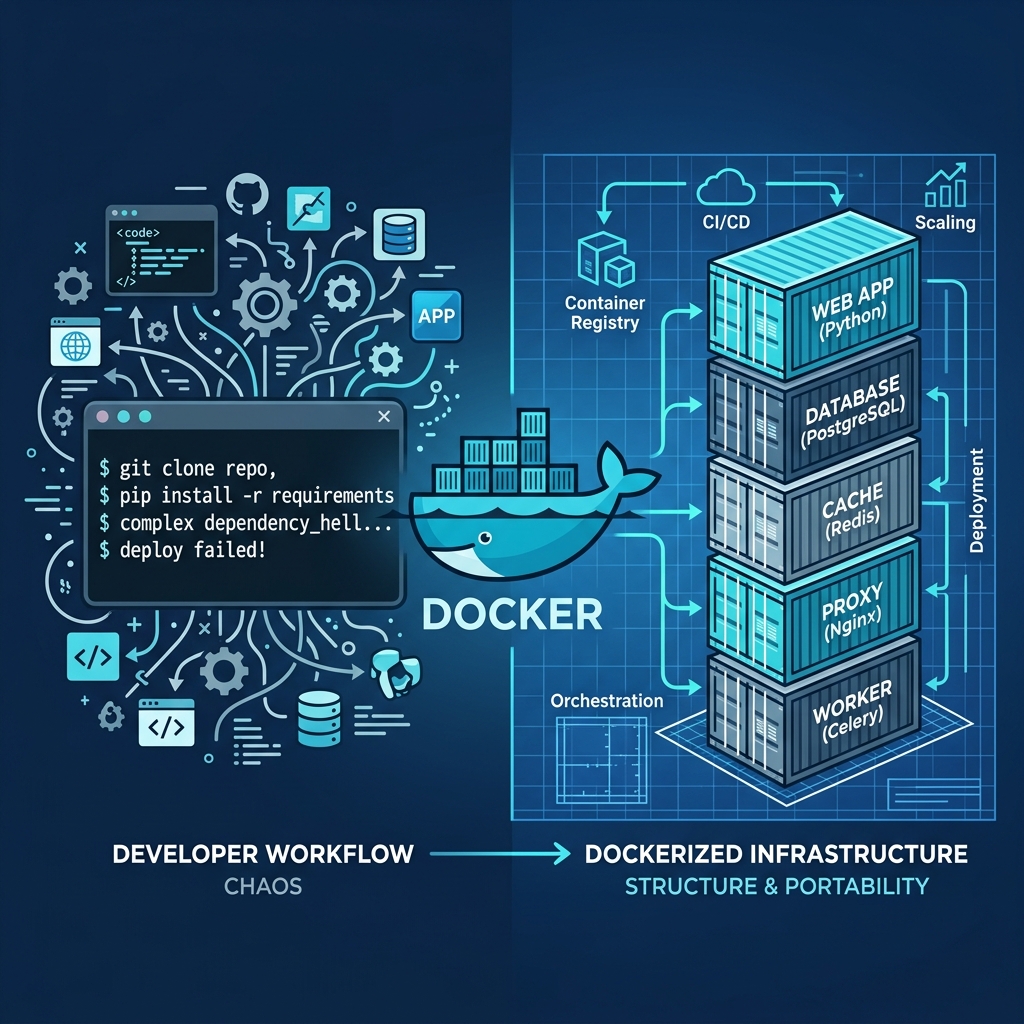
When our platform engineering team took over a legacy microservices architecture last quarter, we encountered a nightmare scenario: the entire production environment was being deployed via a 500-line bash script filled with fragile, imperative docker run commands. Every time a new engineer joined the team, it took them three days to decipher the undocumented port mappings, volume binds, and environmental variable flags hidden within that script. The migration from those imperative scripts to a declarative Docker Compose architecture was not just a quality-of-life upgrade—it reduced our deployment failures by 80% and cut local onboarding time down to five minutes.
If you are still managing your containers by pasting long, convoluted docker run strings into your terminal, you are accumulating technical debt. In 2026, the industry standard has firmly shifted toward declarative infrastructure. In this comprehensive guide, we will break down the architectural differences between imperative and declarative container management, explain exactly how to migrate your stack, and show you how to automate the translation process.
Why Declarative Infrastructure Replaced Imperative Commands
To understand why docker run is obsolete for multi-container applications, you must understand the difference between imperative and declarative systems.
Imperative infrastructure (using docker run CLI commands) requires you to provide step-by-step instructions on how to achieve a result. You must manually create networks, start databases, wait for them to initialize, and then start your web servers. Declarative infrastructure (using compose.yaml) allows you to simply define the desired state of your application. When you execute docker compose up, the Compose engine automatically figures out the correct order of operations to make reality match your blueprint.
The 2026 Infrastructure Paradigm Shift
Here is a breakdown of why modern DevOps teams have universally adopted Docker Compose for local development and single-node deployments.
| Feature / Metric | Imperative (docker run) |
Declarative (compose.yaml) |
|---|---|---|
| Execution Style | Step-by-step manual commands | Desired-state reconciliation |
| Version Control | Hidden in .bash_history or fragile scripts |
Tracked natively as Infrastructure as Code in Git |
| Networking | Manual docker network create required |
Automatic isolated bridge networks |
| Service Dependencies | Requires manual "sleep" hacks | Native depends_on: service_healthy |
| Reproducibility | "Works on my machine" syndrome | Single docker compose up -d command |
If you currently have a massive bash script of run commands, you don't have to rewrite them by hand. You can instantly translate them using our free Docker Run to Compose Converter.
Step 1: Deconstructing the `docker run` Command
Before you can migrate to a Compose file, you must understand how CLI flags map to YAML properties. Let's look at a standard, somewhat complex command used to run a PostgreSQL database:
docker run -d \\
  --name my_postgres \\
  --network backend_net \\
  --restart unless-stopped \\
  -p 5432:5432 \\
  -v pgdata:/var/lib/postgresql/data \\
  -e POSTGRES_PASSWORD=secret123 \\
  postgres:15-alpine
This command works, but it is deeply flawed for production use. It hardcodes a secret password into the terminal history, it assumes the backend_net network already exists, and it relies on the developer remembering to include the -d (detached) flag.
When converting this to Compose, every flag maps to a specific top-level directive within the service definition. The -p flag maps to the ports array, the -v flag maps to the volumes array, and the -e flag maps to the environment mapping.
Step 2: Building Your First `compose.yaml`
As of 2026, the official Docker documentation recommends naming your file compose.yaml (rather than the legacy docker-compose.yml) and utilizing the integrated Compose V2 engine.
Here is how the imperative PostgreSQL command from Step 1 translates into a declarative blueprint:
services:
  database:
    image: postgres:15-alpine
    container_name: my_postgres
    restart: unless-stopped
    ports:
      - "5432:5432"
    volumes:
      - pgdata:/var/lib/postgresql/data
    environment:
      POSTGRES_PASSWORD: \${DB_PASSWORD}

volumes:
  pgdata:
The Architectural Advantages of YAML
Notice the immediate benefits of this structure:
- No Network Definitions Required: We did not need to define
backend_net. Docker Compose automatically creates a default, isolated bridge network for this stack and resolves hostnames based on the service name (database). - Environment Variable Injection: Instead of hardcoding
secret123, we use standard variable interpolation\${DB_PASSWORD}. Compose will automatically read this value from a.envfile located in the same directory, keeping our secrets out of version control. - Volume Registration: The persistent data volume (
pgdata) is explicitly registered at the bottom of the file, making it clear to any engineer that this stack relies on stateful storage.
Step 3: Orchestrating Multi-Container Dependencies
The true power of declarative infrastructure is unlocked when managing multiple containers that rely on each other. If you have a Node.js API that requires a PostgreSQL database, running them via docker run results in race conditions—the API might crash because it starts before the database is ready to accept connections.
In a Compose file, you can utilize health checks to orchestrate perfect startup sequences:
services:
  database:
    image: postgres:15-alpine
    healthcheck:
      test: ["CMD-SHELL", "pg_isready -U postgres"]
      interval: 5s
      timeout: 5s
      retries: 5

  api:
    image: my-node-api:latest
    ports:
      - "3000:3000"
    depends_on:
      database:
        condition: service_healthy
By defining a healthcheck on the database and utilizing condition: service_healthy on the API, Docker Compose acts as an intelligent orchestrator. It will start the database, continuously poll the pg_isready command, and only start the API container once the database explicitly reports that it is ready for traffic.
Best Practices for Compose in 2026
To ensure your infrastructure is scalable and secure, adhere to these modern best practices.
1. Separate Configuration from State
Always follow the "Church and State" rule of container management. Your compose.yaml files and .env templates should live in a version-controlled repository (e.g., /opt/stacks/my-app), while your persistent data volumes should be mapped to a completely separate, heavily backed-up directory (e.g., /opt/appdata/my-app).
2. Pin Semantic Versions
Never use the :latest tag in a production compose.yaml file. The :latest tag is a moving target that will eventually pull a breaking major update and crash your application. Always pin to specific semantic versions (e.g., postgres:15.4-alpine) or explicit image digests to guarantee reproducibility.
3. Utilize Docker Secrets for Production
While .env files are acceptable for local development, production environments should utilize Docker Secrets. Compose V2 has native support for the secrets top-level element, which mounts sensitive data securely into the container's memory at /run/secrets/ rather than exposing them as readable environment variables.
Common Migration Mistakes
When migrating legacy scripts to Compose, developers frequently fall into the following traps.
Mistake 1: Hardcoding IP Addresses
The Fix: Never use static IP addresses or links in your Compose file. Compose features a built-in DNS server. If your database service is named db, your backend application should simply connect to the hostname db. Compose handles the internal routing automatically.
Mistake 2: Copying Detached Flags
The Fix: A common mistake when manually converting commands is trying to add the -d (detached) or --rm (remove) flags directly into the YAML file via the command override. These concepts do not belong in the desired-state blueprint. You trigger detached mode by running the orchestrator itself in detached mode: docker compose up -d.
Mistake 3: Over-complicating Networks
The Fix: Unless you are explicitly connecting two entirely separate Compose stacks together, you rarely need to manually define networks in your compose.yaml. Rely on the default network created by Compose. It provides perfect isolation and seamless DNS resolution out of the box.
Frequently Asked Questions
What is the difference between docker-compose and docker compose?
docker-compose (with a hyphen) was the original, legacy Python script used for orchestration. docker compose (with a space) is the modern, Go-based Compose V2 engine that is now natively integrated directly into the Docker CLI. You should always use the space-separated version in 2026.
Can Docker Compose replace Kubernetes?
For single-node deployments, local development environments, and small-to-medium businesses running on a single robust VPS, Docker Compose is often superior to Kubernetes. It provides 80% of the orchestration benefits with 5% of the architectural complexity. However, if you require multi-node high availability and auto-scaling, Kubernetes is the industry standard.
How do I update containers running via Compose?
Because Compose is declarative, updating is trivial. Simply update the image version tag in your compose.yaml file, and then run docker compose up -d. The engine will detect the desired state change, pull the new image, gracefully stop the old container, and start the new one.
Does Docker Compose work on Windows?
Yes. With the widespread adoption of Windows Subsystem for Linux (WSL2) and Docker Desktop, Docker Compose functions identically on Windows, macOS, and Linux environments.
How do I view logs for a Compose stack?
Instead of tracking down individual container IDs, you can view aggregated, color-coded logs for your entire application stack by running docker compose logs -f from the directory containing your compose.yaml file.
Automate Your Migration Today
Manually translating hundreds of lines of imperative docker run scripts into a structured YAML blueprint is tedious and highly prone to syntax errors.
Stop wasting engineering hours on manual translation. Use our free, client-side Docker Run to Compose Converter. Simply paste your legacy CLI commands into the tool, and it will instantly generate a perfectly formatted, production-ready compose.yaml file that you can deploy immediately.




